Currency Settings
This article explains how Mothership handles currency across suppliers and retailers, including what was updated and what you need to configure correctly.
ℹ️ This article is primarily relevant if your supplier and retailer operate in different currencies. For example, a USD supplier working with an AUD or EUR retailer.
The golden rule: everything runs in the supplier's currency
All transactions, pricing, and order calculations in Mothership follow the supplier's currency. This is the source of truth across the platform.
The retailer's currency is used for display and conversion only. Mothership converts supplier prices into the retailer's currency when showing the retailer their pricing and when pushing product prices into the retailer's store.
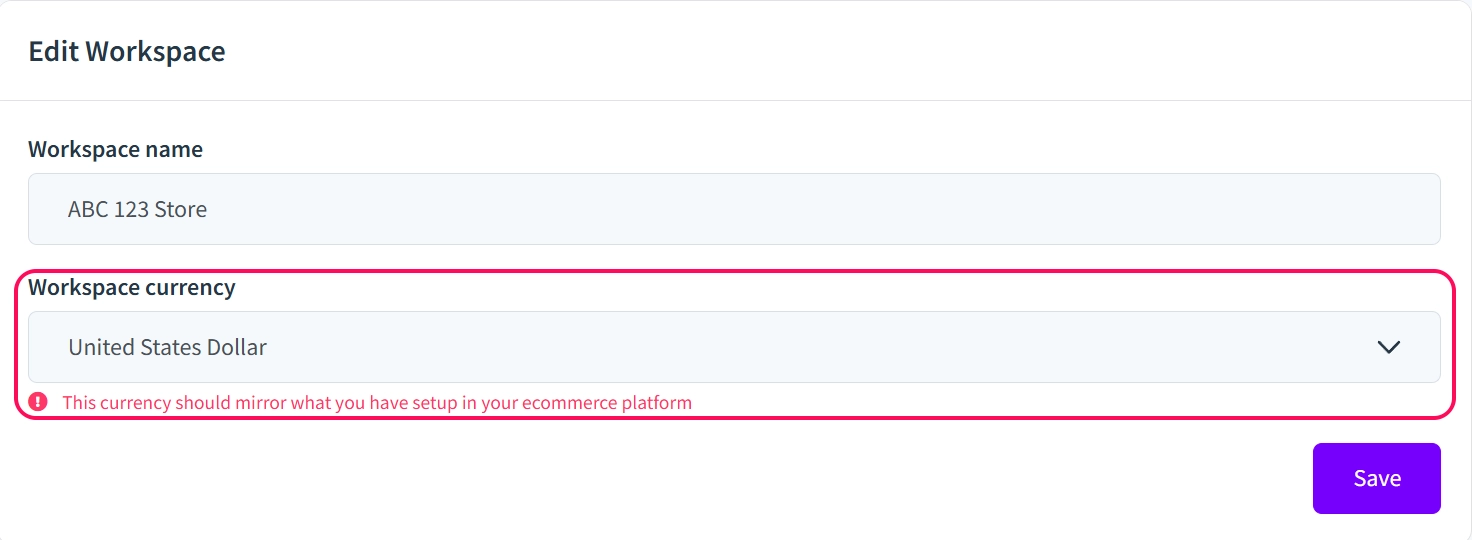
⚠️ Critical: your Mothership currency must match your store’s platform currency
Mothership has two locations where currency is configured, and they need to match.
- In your e-commerce platform
- In Mothership
If you change your store currency on your store’s platform, you must also update it in Mothership. If the two are out of sync, orders will process with mismatched currencies and cause pricing errors.
🚨 This is the most common source of currency issues. When going through onboarding, confirm that the currency you select in Mothership matches exactly what is set in your Shopify store before going live.
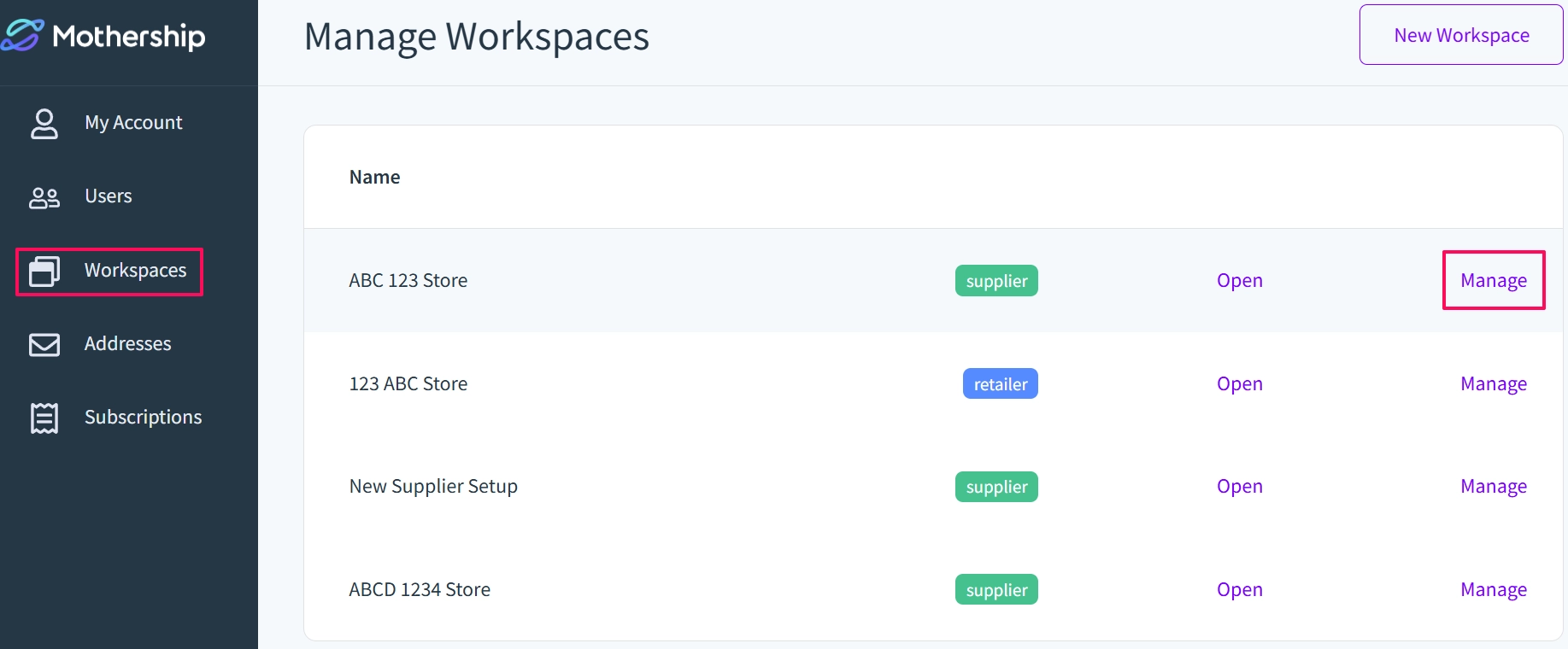
To update your Workspace currency in Mothership: Settings → Workspaces → Manage → Workspace Currency.
How exchange rates work
Exchange rates fluctuate daily. Here's how Mothership handles this:
- When an order is placed, Mothership records the exchange rate for that day and stores it against the order.
- The supplier's invoice total is always in the supplier's currency (e.g. USD) — no conversion happens on the supplier side.
- The retailer's invoice total on the sales report is calculated by adding each order's value in the retailer's currency, using the exchange rate at the time that order was placed.
ℹ️ Why per-order rates? Sales reports typically cover a full month. The exchange rate at the start of the month may differ significantly from the rate at the end. By locking each order to the rate on the day it was placed, the totals accurately reflect what was charged at the time.
Refunds also use the original order's exchange rate, and not the rate at the time the refund is processed.
⚠️ Historical orders are not affected. The exchange rate field was added as of 6 July 2026. Orders placed before this update do not have an exchange rate stored against them.
What the sales report shows
The sales report now includes both currency columns:
| Field | Currency | What it shows |
|---|---|---|
| Total (Supplier) | Supplier's currency (e.g. USD) | Order value in the supplier's currency |
| Total (Retailer) | Retailer's currency (e.g. AUD, EUR) | Order value converted at the day's exchange rate |
This gives both parties a clear view of what was transacted in their own currency, without changing how the underlying billing works.
Recommendation for retailers with a different currency
If you're a retailer operating in a different currency from your supplier, and you have automatic retail price tracking enabled (where Mothership mirrors the supplier's retail price into your store), be aware of the following:
Exchange rates change daily. If Mothership is automatically updating your retail prices based on the supplier's prices, those prices will fluctuate as exchange rates move.
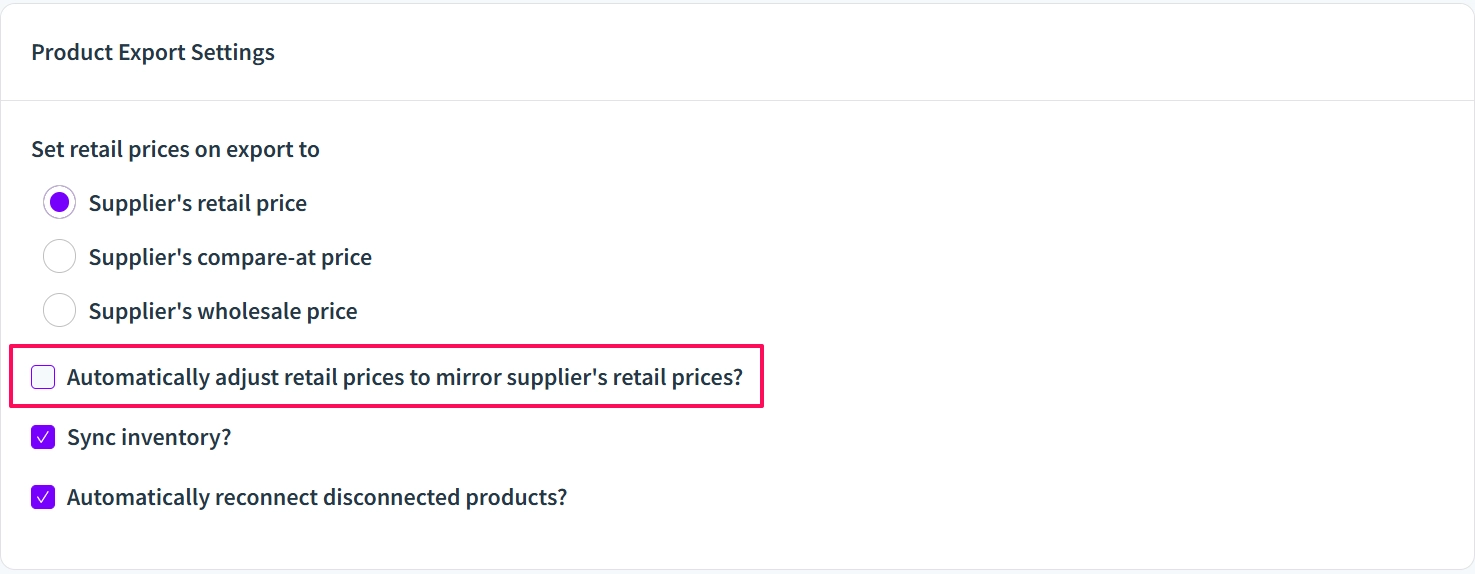
💡 Recommendation: If your currency differs from your supplier's, turn off automatic retail price tracking and set your retail prices manually in your own currency. This gives you control over your pricing and avoids unwanted daily fluctuations.
To do this: in the Vendor Portal, go to Supplier → Choose the supplier → Product Export Settings, then uncheck the Automatically adjust retail prices to mirror supplier’s retail prices? and save changes.
Supported currencies
Mothership currently supports the following workspace currencies:
- US Dollar (USD)
- Canadian Dollar (CAD)
- Australian Dollar (AUD)
- British Pound Sterling
- Euro (EUR)
- Mexican Peso (MXN)
- Chinese Yuan
- New Zealand Dollar
- Hongkong Dollar
- Israeli New Sheqel
- Indian Rupee
- Japanese Yen
- South Korean Won
- Malaysian Ringgit
- Philippine Peso
ℹ️ Need a currency not listed? Contact support@mothership.fm to request.